Public Menu Site
Every restaurant organization gets a free public menu page that customers can visit without signing in.
In short: Every restaurant organization gets a free public menu page at
yoursubdomain.webs8.com/restaurant/menu that anyone can view without a webs8 account. It is always live — there is no publish step, and it updates the moment you edit your menu.
Your menu URL
Your public menu is available at:
https://yoursubdomain.webs8.com/restaurant/menu
Anyone with this URL — or a QR code linking to it — can view your full menu without needing a webs8 account. The page is always live; there is no "publish" step.
What customers see
- Your hero/cover image displayed as a banner at the top of the page
- Your restaurant name and tagline prominently featured
- Menu items grouped by category, each showing a photo, name, description, and price
- Contact information — address, phone number, and opening hours
- A reservation request form so customers can book a table
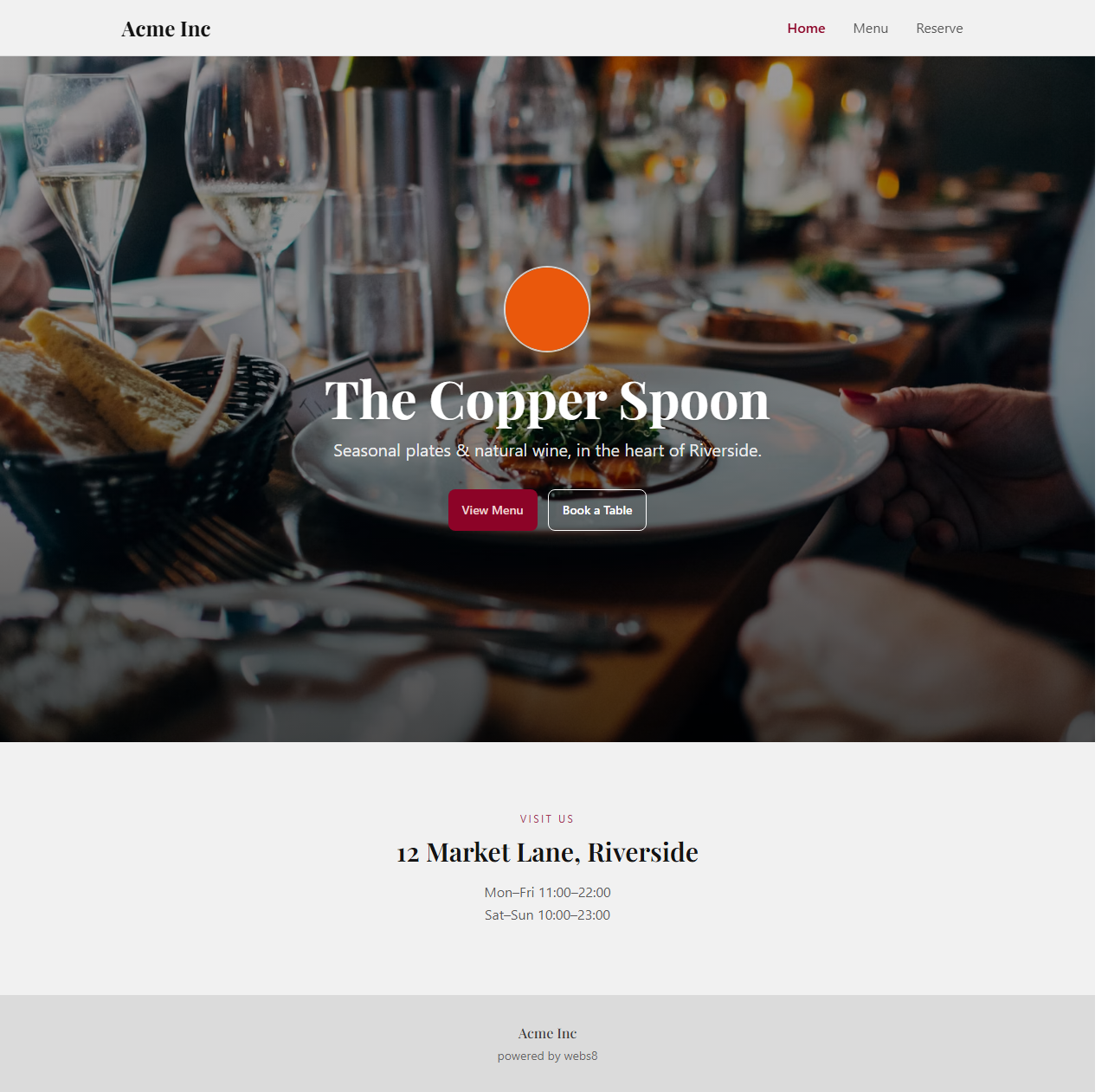
The public-facing menu page customers see
Share your menu
- Copy the link — share the URL directly via text message, email, or social media bio
- Add it to Google Business Profile — paste it as your menu URL so customers find it in Google Maps
- Use the QR code — see the QR Code guide to generate a printable code
Keeping it updated
The public menu page is always live and always reflects the current state of your data. As soon as you save a menu item, update a price, change your opening hours, or upload a new hero image, customers see the update immediately — no cache to clear, no publish button to click.
Items marked as unavailable are hidden from the public menu. Use the availability toggle on menu items to temporarily hide seasonal or sold-out dishes without deleting them.