Reservations
Customers can submit table reservation requests from your public menu page. Manage them from the Reservations tab.
Accessing reservations
-
Open Restaurant Admin
From your org dashboard, go to Apps → Restaurant → Open.
-
Click the "Reservations" tab
In the top tab bar of the Restaurant Admin, click Reservations.
-
View the reservations list
Each reservation shows the customer's name, requested date, time, party size, and any special notes they provided.
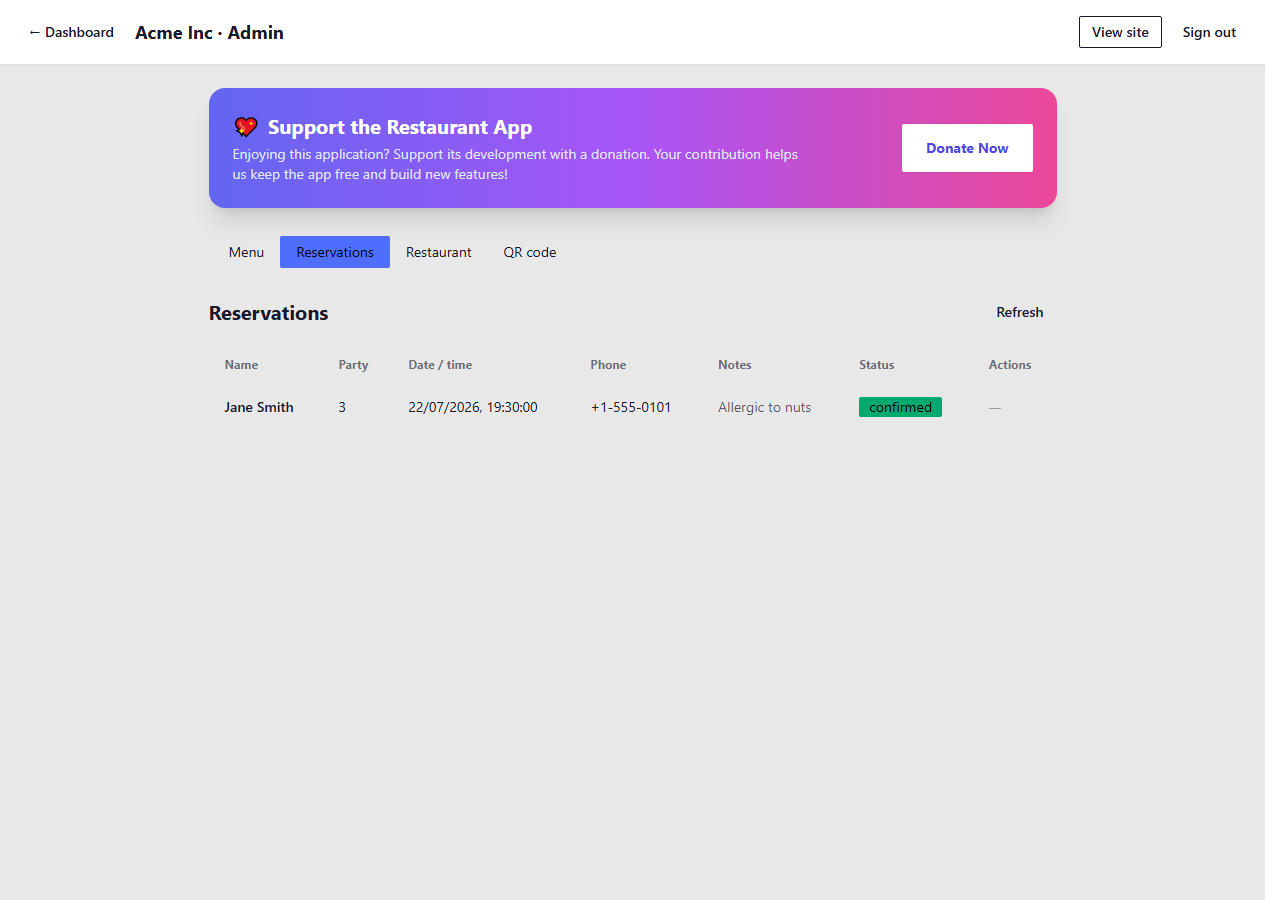
The Reservations tab in Restaurant Admin
What the form captures
When a customer submits a reservation request from your public menu page, the following information is recorded:
- Name — customer's full name
- Date — requested reservation date
- Time — requested reservation time
- Party size — number of guests
- Special requests — any dietary requirements, celebrations, or seating preferences
Responding to reservations
Currently, reservations are stored in your admin panel for your review. To respond to a customer, use the contact details they provided — call them or reply by email — to confirm or propose an alternative time.
There is no automated confirmation email sent to customers at this stage. Make sure your response is timely so customers know their booking status.